-1.svg "Attitude IT: Keeping Your Technology on Course")
Resolving Printer Failures: Network Issues in Manufacturing Operations
IT Services Manufacturing Jun 10, 2026, 10:45:18 AM Attitude IT 5 min read
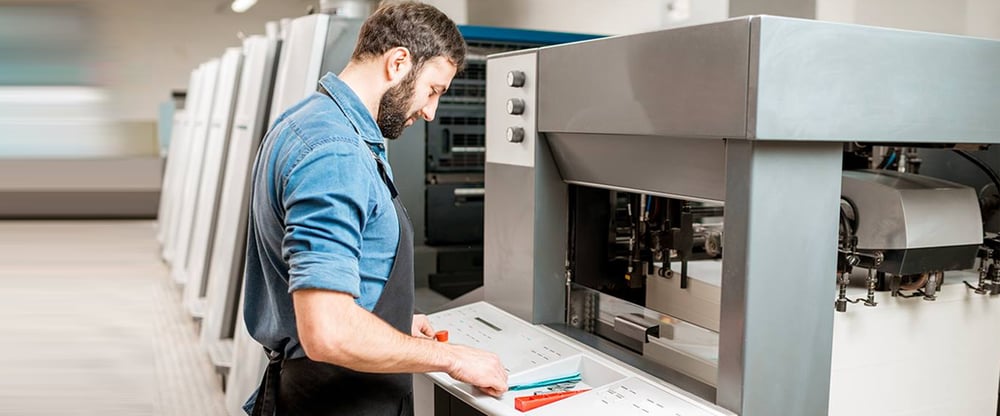
In manufacturing, your IT infrastructure is only as strong as its weakest link — and more often than you'd expect, that weak link is your printing setup.
It's easy to write off a printer problem as a minor annoyance. But in a manufacturing environment, printing sits right in the middle of your operational workflow. When something goes wrong, the ripple effects can touch production, shipping, inventory, and your bottom line.
Here's what most manufacturers don't realize: a lot of printer failures aren't actually printer problems. They're network problems wearing a printer costume.
Printing Is Still a Critical Part of Manufacturing Operations
Even as manufacturing becomes more digital, printed documents remain essential to daily operations. Think about everything your team prints on any given day:
- Engineering drawings and blueprints
- Production schedules and work orders
- Shipping and inventory labels
- Barcode labels for tracking
- Quality assurance documentation
- Job travelers on the shop floor
If any of these documents are delayed, missing, or printed incorrectly, the impact doesn't stay in the IT queue. It spills into your production schedule, your shipping dock, and your customer relationships.
Why Printer Problems Are Often a Network Problem
When a printer fails, most people assume it's a hardware issue. But in our experience working with manufacturers, the root cause is frequently somewhere in the network infrastructure.
Here are some common culprits:
Outdated Switches and Poor Network Segmentation
An aging network switch that drops packets intermittently can cause print jobs to fail silently. This shows up as jobs disappearing from the queue, printers going offline randomly, or documents printing hours after they were sent. The printer gets the blame — but the network is the problem.
Wi-Fi Dead Zones on the Shop Floor
Label printers and mobile devices on the production floor or shipping dock are especially vulnerable to wireless signal gaps. A printer that's connected but barely receiving signal will behave unpredictably — sometimes printing fine, sometimes not at all.
Firmware and Driver Incompatibilities After Network Changes
When your IT team updates network infrastructure — new switches, upgraded firewall rules, changes to VLANs — printers that were working fine can suddenly stop. These issues are tricky to diagnose because the printer itself hasn't changed. The environment around it has.
|
The takeaway: if you're seeing recurring printer issues, it's worth having someone look at your network infrastructure ,not just the devices themselves. |
The Real Cost of Printer Downtime
When a printer stops working, the repair bill is the smallest part of the cost. The real hit comes from what stops happening while you wait.
Production Delays
A plotter that can't print engineering drawings means your production team can't start work. If your line runs at $500/hour and a 2-hour delay occurs while your team troubleshoots a printer, that's $1,000 in lost output — far more than a proactive maintenance plan would have cost.
Shipping Disruptions
Label printers are the heartbeat of your shipping dock. Without accurate labels, shipments stall, inventory gets misidentified, and customer orders get delayed. One label printer failure at the wrong time can unravel an entire day's outbound shipments.
Lost Employee Productivity
When employees spend time troubleshooting printers, waiting for IT support, or walking to another department to find a working device, those minutes add up fast. Across a team of 20 people losing 15 minutes each per week, that's over 250 hours of lost productivity per year.
Recurring Support Costs
Many manufacturers experience the same printer issues on a loop — because the root cause is never properly addressed. Without a long-term infrastructure strategy, you end up paying to "fix" the same problem over and over again.
How Cloud and Remote Print Management Changes the Game
One of the most impactful upgrades we're helping manufacturers make right now is moving to cloud-based and remotely managed print environments. Here's why it matters:
For manufacturers with multiple locations or a large shop floor, remote print management can dramatically reduce both downtime and support costs. It also gives your IT team visibility they simply don't have with traditional printer setups.
|
A mid-size manufacturer we with was losing 3–4 hours a week to label printer failures. The symptoms pointed to the printers — poor print quality, dropped jobs, random offline errors. But when we dug into the infrastructure, the real culprit was an overloaded network switch that was dropping packets under heavy load. We replaced the switch, improved network segmentation for the shipping floor, and moved them to a cloud print management platform. The printer issues disappeared entirely, and we now gets alerts before problems occur rather than after delays. |
What Manufacturers Can Do Right Now
The good news is that most of these problems are preventable. Here's where to start:
Audit Your Network Infrastructure
If you haven't reviewed your switches, cabling, and wireless coverage in the last few years, it's worth doing. Aging infrastructure is often the hidden cause of printing and other operational issues.
Prioritize Business-Critical Devices
Not all printers are equal. The label printer on your shipping dock and the plotter in engineering deserve more attention — and better infrastructure — than the printer in the break room. Make sure your network and monitoring reflect that.
Move Toward Cloud Print Management
If your team is still managing printers reactively — responding to calls when something breaks — cloud print management gives you the visibility and control to get ahead of issues before they impact production.
Standardize Your Equipment
A mix of different printer brands and models creates complexity that multiplies your support costs. Standardizing where possible makes maintenance, supplies, and troubleshooting significantly simpler.
Build a Proactive Maintenance Plan
Regular maintenance extends the life of critical equipment and catches problems early. Your IT team can make some tweaks to your network to make sure each user is connected to the right plodder and printer. This process can become part of your businesses access controls to monitor and control inventory levels to save you money.
Printing Should Support Your Operations, Not Slow Them Down
For manufacturers, printers aren't just office equipment they're operational infrastructure. When they work well, nobody notices. When they don't, everyone does.
The manufacturers who experience the least downtime aren't just buying better printers. They're investing in the network infrastructure and management tools that keep those printers running reliably day after day.
If printer issues have become a recurring problem in your facility, it's probably time to look beyond the devices themselves and at the infrastructure supporting them.
|
Is Your Print Infrastructure Putting Operations at Risk? Attitude IT offers a 30-minute print and network assessment for manufacturers. We’ll identify your biggest vulnerabilities and show you exactly what a fix looks like no obligation, no pressure. Contact Attitude IT today to book your free assessment. |
-1.png?width=116&height=116&name=Attitude%20IT%20favicon%20dark%20background%20(250%20%C3%97%20250%20px)-1.png)
Attitude IT
Since 2003, Attitude IT has been helping businesses in Ontario keep their technology on course.